
TeslaWrapLab Team ·
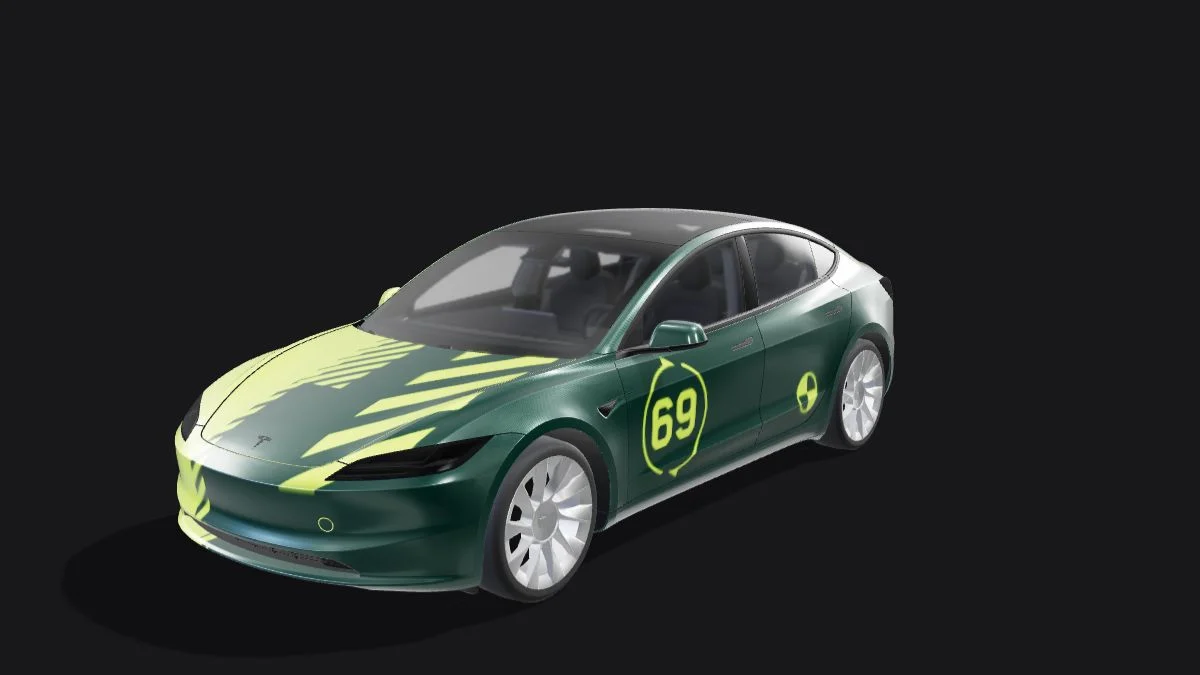
Since Tesla introduced the Custom Paint Shop (Toybox Wrap) feature, thousands of owners have turned their center console and mobile app avatars into one-of-a-kind digital rides. However, if you want to design a custom wrap from scratch, finding the exact 2D-to-3D UV wireframe maps for every vehicle generation can be frustrating.
Skip the guesswork and broken forum links. Below, you can download the complete, pixel-accurate Tesla Wrap PNG Templates for all current models—or skip Photoshop entirely and design directly on a live 3D vehicle in the TeslaWrapLab 3D Online Editor or browse hundreds of ready-to-use skins in our Free Wrap Gallery.
Technical Specifications for Tesla Paint Shop PNGs
Before modifying any template in Photoshop, Procreate, or GIMP, your exported file must strictly follow Tesla’s onboard rendering engine limits. If a single parameter is off, the wrap will either fail to show up or render as a pitch-black car:
| Specification | Official Tesla Requirement | TeslaWrapLab Standard |
|---|---|---|
| File Format | .png (Portable Network Graphics) | .png (Optimized lossless) |
| Resolution | 512x512 up to 1024x1024 px; preserve the original template proportions | Original template dimensions; Cybertruck 1024x768 |
| Color Profile & Depth | PNG; use RGB as a practical compatibility check | Browser PNG export with size optimization |
| Max File Size | No larger than 1 MB per file | No larger than 1 MB |
| Filename Rule | Letters, numbers, spaces, underscores and hyphens (up to 30 characters) | Check the filename before uploading |
Download Blank UV Wireframe Templates by Model
Each template below includes a flat PNG body-panel layout. Use the original white body regions and keep their positions and proportions; the downloaded PNG is not a layered Photoshop document.
1. Tesla Model Y "Juniper" (2025–2026 Refresh) & Legacy Model Y
The refreshed Model Y Juniper features a redesigned full-width front lightbar and a diffused rear tailgate reflector. Because of this, legacy 2020–2024 Model Y templates will misalign around the front nose cone and rear license plate recess on Juniper vehicles.
- ⬇️ Download Model Y Juniper (2025–2026) UV Template (.PNG)
- ⬇️ Download Legacy Model Y (2020–2024) UV Template (.PNG)
- Looking for ready-made designs? Check out our curated Best Custom Wraps for Model Y Juniper.
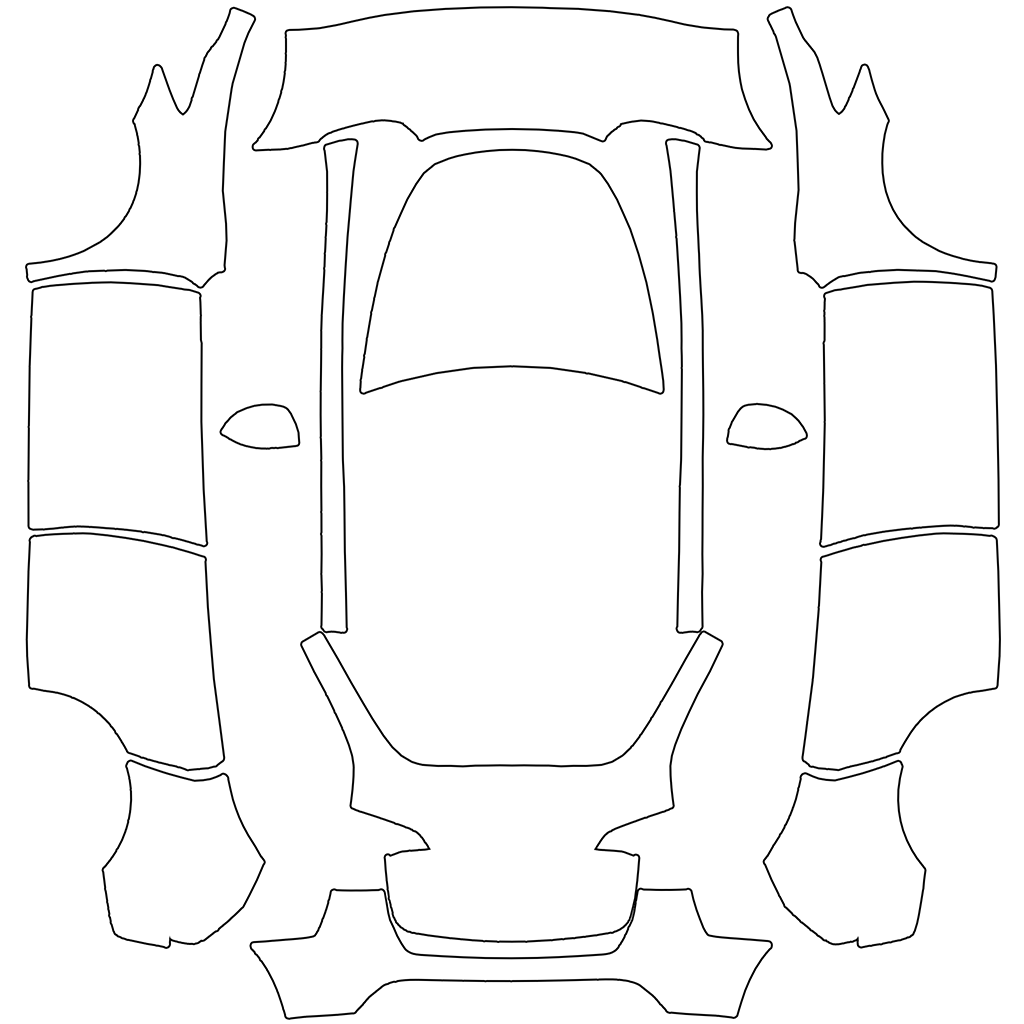
2. Tesla Model 3 "Highland" (2024–2026) & Legacy Model 3
Model 3 Highland models have sharper front bumper aero ducts and a sculpted rear diffuser compared to pre-refresh models. Furthermore, the Model 3 Highland Performance has its own distinct front splitter and carbon spoiler mapping.
- ⬇️ Download Model 3 Highland (Standard & Performance) UV Template (.PNG)
- ⬇️ Download Legacy Model 3 (2017–2023) UV Template (.PNG)
- Explore ready-to-download racing and stealth skins in our Model 3 Highland Custom Wraps Guide.

3. Tesla Cybertruck
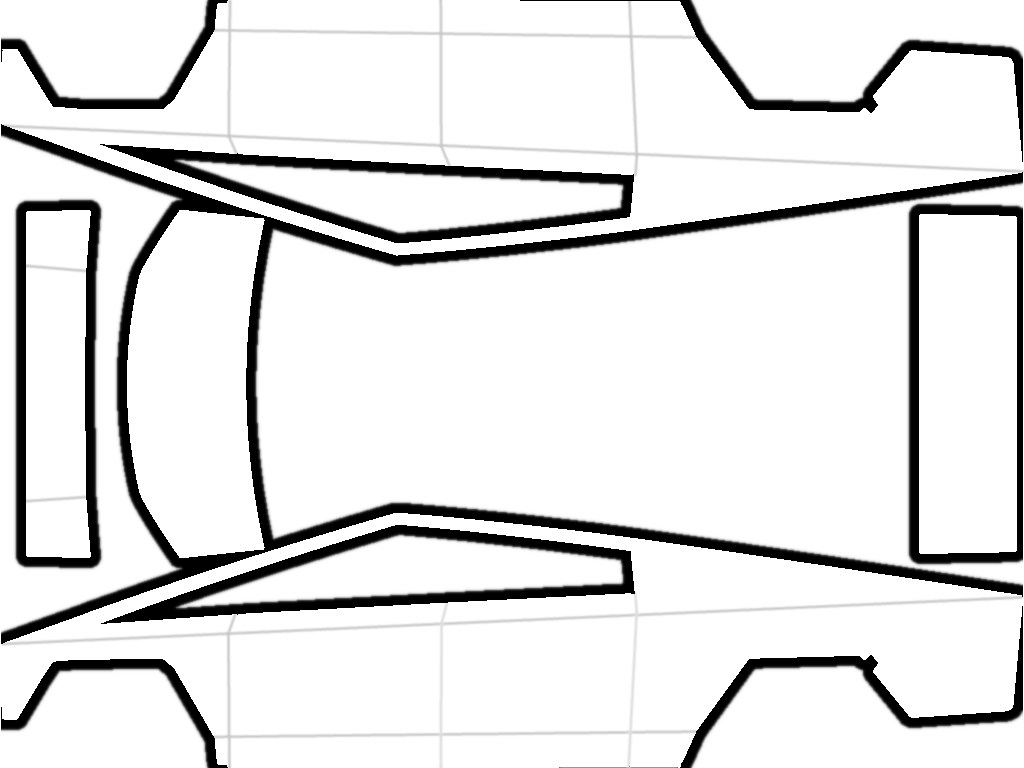
Thanks to its flat stainless-steel exoskeleton panels, the Cybertruck has the cleanest UV layout of any Tesla. There are virtually no compound curve distortions, making it the easiest template for placing geometric camo, logos, and rust textures.
- ⬇️ Download Cybertruck Official UV Wireframe Template (.PNG)
- Need inspiration? Explore 25 design concepts and available gallery downloads in our Cybertruck Custom Wrap Ideas & Templates.
4. Tesla Model S & Model X (2021–2026 Plaid & Long Range)
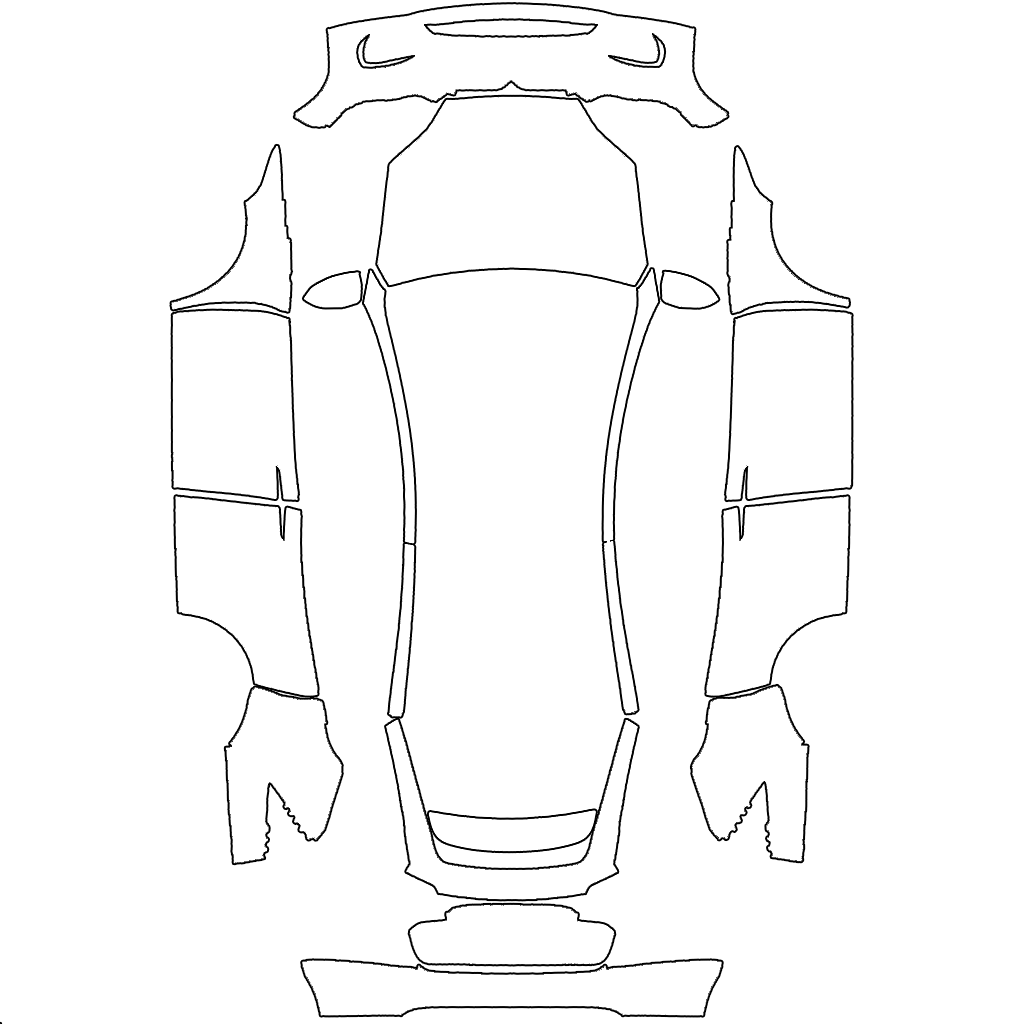
For flagship Model S and Model X owners, the Palladium refresh templates account for the wider fender flares and updated front fascia air intakes.
Why 2D Templates Stretch (And How to Avoid Distortion)
When you open a raw Tesla UV template, you will notice that the hood, roof, and doors are flattened onto a model-specific 2D canvas.
- Fender & Bumper Seam Breaks: A stripe drawn straight across the hood on the 2D canvas will abruptly cut off at the front fender seam unless you rotate and align the continuation on the side panel island.
- Compound Curve Stretching: Placing a circular logo near the A-pillar or rear quarter panel on a 2D map often results in a stretched oval on the actual 3D visualization.
- Hidden Alpha Channels: Accidentally leaving transparent pixels inside the car body island will cause ugly white or chrome patches on your screen.
The Faster Alternative: Design Live in 3D
Instead of guessing where seams meet in Photoshop, open the TeslaWrapLab 3D Studio. Add decals, pet photos, racing stripes or AI-generated textures to the flat template and inspect the result in the live 3D preview. Export keeps the model’s original aspect ratio, optimizes PNG size, and can reduce resolution when necessary to stay within the 1 MB limit.
Once you have your PNG file ready, follow our step-by-step How to Upload Custom Wraps to Your Tesla (App & USB Guide) to get it onto your screen in under two minutes.
Frequently Asked Questions (FAQ)
What size should a Tesla wrap PNG be?
Tesla specifies PNG images from 512x512 to 1024x1024 pixels and no larger than 1 MB. Preserve the original template dimensions: most bundled models use 1024x1024, while Cybertruck uses 1024x768. Do not force the Cybertruck layout into a square.
Can I use the same wrap PNG on a Model 3 and a Model Y?
While the file will load into the Paint Shop without throwing an error, the body lines will not match. A Model 3 wrap applied to a Model Y will have misaligned door handles, shifted bumper vents, and cut-off hood graphics. Always use the model-specific UV map.
Why does my custom PNG template show up completely black on the car screen?
A black preview can have several causes. Try re-exporting as a genuine RGB PNG, then check its size, dimensions and model layout. Tesla's published instructions do not establish one guaranteed cause for a black preview. Read our Tesla Custom Wrap Not Working Troubleshooting Guide for checks you can try.