
TeslaWrapLab Team ·
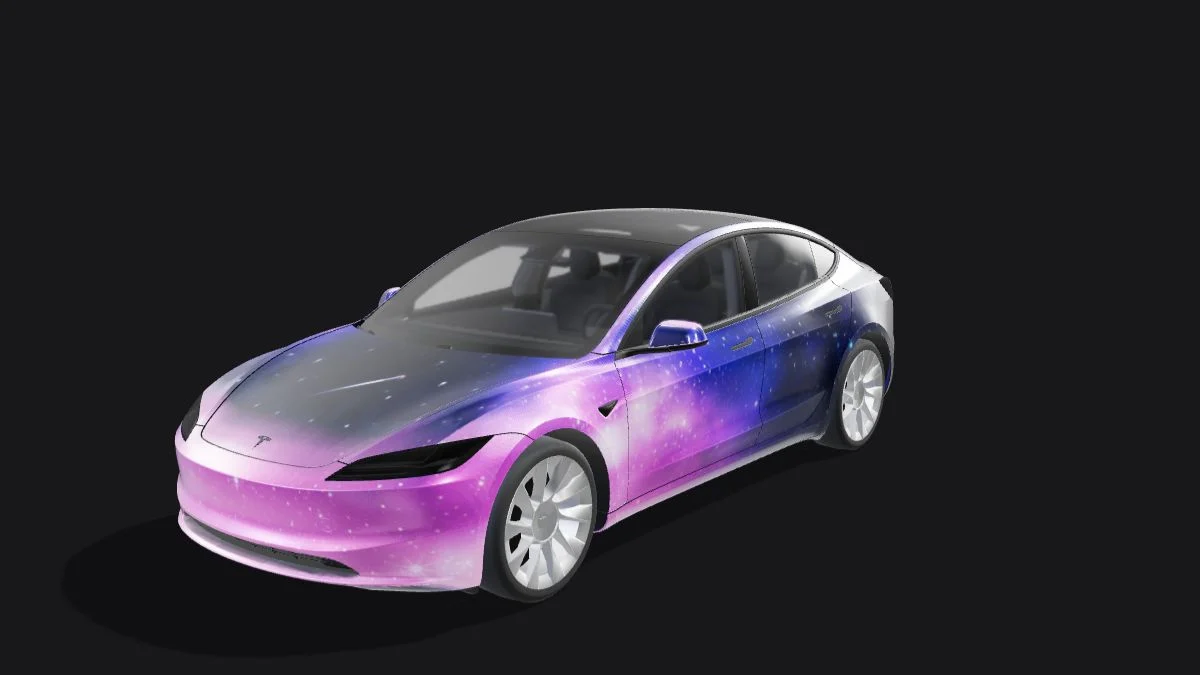
Since its launch, the refreshed Tesla Model 3 "Highland" (2024–2026)—and especially the razor-sharp Model 3 Highland Performance—has become the top platform for enthusiasts who love clean aerodynamics and aggressive styling.
Inside the cabin, the Highland’s ultra-responsive AMD Ryzen infotainment screen renders your car in full 3D at 60 FPS. However, if you try to load an older 2017–2023 Model 3 wrap into your Highland’s Toybox Paint Shop, you’ll notice misaligned front bumper lines, broken fog-light cutouts, and distorted rear trunk badges.
Here is everything you need to know about Model 3 Highland custom wraps, including the differences between Standard/Long Range and Performance templates, plus our top downloadable PNG designs.
Highland vs. Legacy Model 3: Why UV Templates Differ
Tesla completely resculpted the front and rear fascias on the Highland refresh. When designing or downloading a 1024x1024 Paint Shop PNG, keep these three UV map changes in mind:
| Body Area | Legacy Model 3 (2017–2023) | Model 3 Highland (2024–2026) | Model 3 Highland Performance |
|---|---|---|---|
| Front Bumper | Wide lower grille + fog light pockets | Smooth, fog-light-delete sculpted nose | Aggressive front splitter + vertical aero curtains |
| Hood & Headlights | Rounded teardrop headlamp cutouts | Slimmer, horizontal winged headlamps | Same as Highland, sharper hood crease |
| Rear Bumper & Trunk | Small lower valence, "T" logo area | Deep rear diffuser, wide "T E S L A" lettering panel | Carbon fiber lip spoiler + aggressive diffuser fins |
Pro Tip: In the TeslaWrapLab 3D Studio, you can toggle directly between the Legacy Model 3, Highland RWD/AWD, and Highland Performance 3D models to compare the placement of stripes and decals on each vehicle layout.
Top 5 Custom Wrap Designs for Model 3 Highland (Design Ideas & Available PNGs)
The five styles below are design ideas for the 2024–2026 Highland. The gallery links show available files rather than guaranteed downloads of these exact concepts. Choose the Standard/Premium or Performance template that matches your car.
1. Highland Performance "Track Weapon" (Carbon Hood & Red Splitter Accent)
Designed with the Model 3 Performance in mind. Features a high-weave exposed carbon fiber hood and roof, paired with an Ultra Red or Acid Green pinstripe along the front lower lip and side skirts.
2. Porsche GT3 RS Inspired Side-Blade & Hood Vent Livery
Brings Stuttgart track styling to your Highland. Includes realistic recessed GT3-style carbon hood extraction vents on the frunk and bold "MODEL 3" side-skirt typography between the wheels.
3. Satin "Quicksilver" Metallic with Blackout Aero Pillars
Love Tesla’s expensive factory Quicksilver or Ultra Red paint, or want a stealthy satin version with blacked-out roof pillars? A PNG can suggest metallic highlights, but it does not change the vehicle renderer’s material shader or simulate physical reflective film.
4. Tokyo Drift / JDM Street Spec & Anime (Itasha) Base
The sleek, low-slung profile of the Model 3 Highland makes it the most popular Tesla for JDM drift liveries and Anime (Itasha) character art. Our pre-aligned door and hood canvas prevents character artwork from warping across the fender curves.
5. Classic Twin Shelby / Le Mans Racing Stripes
Clean, dual centerline racing stripes with thin outer pin-stripes that accurately navigate the Highland’s new nose cone crease and rear trunk lip without jagged pixel edges.
(Want the blank wireframe to draw your own design? Head over to our Free Tesla Wrap PNG Templates page to download the raw Highland UV map).
How to Avoid Stretched Door Logos on Model 3 Highland
Because the Model 3 Highland has pronounced rear quarter-panel haunches and sculpted lower doors, dropping a flat image onto the side of the 2D template often causes the graphic to slant upward toward the trunk.
To fix this without spending hours doing trial-and-error USB uploads in your driveway:
- Open the TeslaWrapLab 3D Editor and select Model 3 Highland.
- Upload your decal, stripe, or custom texture.
- Use our live 3D camera to inspect the body line from the side, front three-quarter, and top-down angles.
- Click Export PNG and send it straight to your car using our Mobile App & USB Upload Guide.
If you ever run into an issue where your wrap doesn't load or appears greyed out in Toybox, check our 7 Quick Fixes for Tesla Paint Shop Errors.